
Browser Automation Agents: Computer-Use & Smoke Monkey
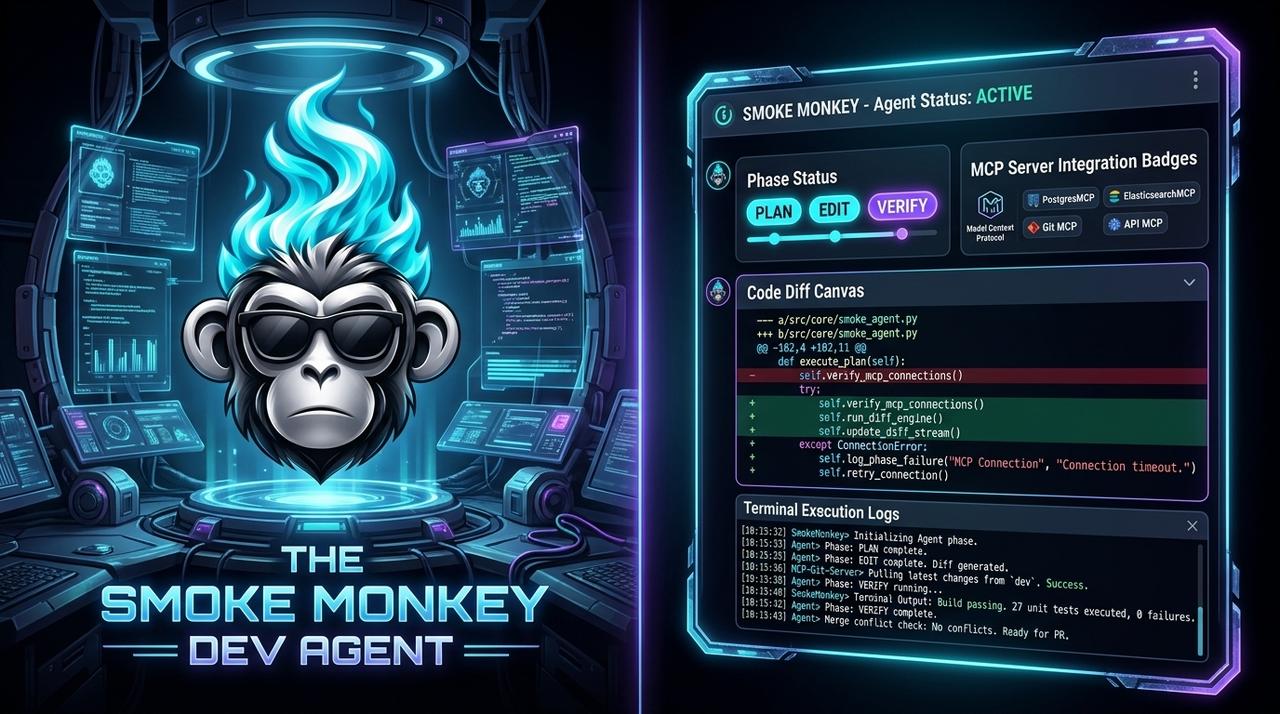
**Browser automation agents** are the 2026 breakout: computer-use models drive a real browser to click, type, and fill forms, and tools like Codex's browser agent and Stagehand make it a first-class capability. Powerful, but a browser is untrusted territory — an agent that can log in, submit, or pay is an agent that can be hijacked. This guide shows how [Smoke Monkey Harness](/solutions/what-is-an-ai-agent-harness) connects MCP browser tools with human-in-the-loop gates, and how **Smoke Monkey Canvas** keeps the session observable.
Browser Automation Agents: Computer-Use & Smoke Monkey: **Browser automation agents** are the 2026 breakout: computer-use models drive a real browser to click, type, and fill forms, and tools like Codex's browser agent and Stagehand make it a first-class capability. Powerful, but a browser is untrusted territory — an agent that can log in, submit, or pay is an agent that can be hijacked. This guide shows how [Smoke Monkey Harness](/solutions/what-is-an-ai-agent-harness) connects MCP browser tools with human-in-the-loop gates, and how **Smoke Monkey Canvas** keeps the session observable. Designed as a zero-dependency, open-source TypeScript architecture under the MIT License with native Model Context Protocol (MCP) support and deterministic phase state machines.
- Browser and computer-use agents automate the web by acting on a real DOM, not an API.
- The risk scales with the session: logged-in and payment contexts need human approval gates.
- Smoke Monkey Harness treats browser actions as MCP tools with typed schemas and permission levels.
- Smoke Monkey Canvas shows each browser step and routes sensitive actions to a human inline.
import { createAgent } from 'smoke-monkey-harness';// A browser-using agent: tools over MCP, approvals on risky stepsconst agent = createAgent({provider: 'openai',model: 'gpt-6.1-sol',workspacePath: process.cwd(),mcpServers: ['./mcp/browser.json'], // navigate, click, type, readpermissions: {browser_navigate: 'allow',browser_click: 'allow',browser_submit: 'ask', // human approves form submits},});await agent.run('Fill the support form with the details in bug.md but do not submit');// Watch the session on the canvas: npx @smoke-monkey/canvas start
Watch: Related Video Guides
Anthropic Just Built an Agentic OS — Open Source Harness Breakdown
Smoke Monkey
Codex's Browser Agent Automates Literally Anything
Nate Herk | AI Automation
What a Browser Automation Agent Is
A browser automation agent drives a real browser the way a person does: it navigates, reads the page, clicks, types, and submits. Unlike a scripted scraper, it decides each step from the page state, which is what makes computer-use models so capable and so risky. Codex's browser agent and projects like Stagehand made this a mainstream capability in 2026, and the pattern generalizes to any GUI. The key insight for builders: browser actions are just tools, and tools belong behind a policy. That is the model Smoke Monkey Harness uses — every browser action is an MCP tool with a schema and a permission level.
The Session Is the Risk
A browser agent inherits the risk of whatever session it holds. If it is logged into your email, bank, or admin console, a prompt injection on a visited page can redirect it to exfiltrate data or submit a form. The dangerous verbs are predictable: login, submit, purchase, delete, send. Policy should make exactly those verbs require a human. Because Smoke Monkey permissions are per-tool, you can allow navigation and reading freely while gating the irreversible actions. Smoke Monkey Canvas surfaces each step so you see the click before it happens, not in a post-mortem.
Wiring Browser Tools with MCP
Smoke Monkey Harness connects to browser automation through MCP, so a Playwright or Chrome-based server drops in as a tool provider. You get navigate, click, type, read, and screenshot as typed tools, and the model calls them like any other. Because the harness is provider-neutral, the same browser tools work with GPT-6.1 Sol, Claude, or a local model. And because every call is schema-validated, a malformed selector or injected payload is rejected before it reaches the page. The MCP tools marketplace covers how to discover and vet these servers.
import { createAgent, defineTool } from 'smoke-monkey-harness';// Browser actions are typed tools, gated by permissionconst submitForm = defineTool({name: 'browser_submit',description: 'Submit the current form - irreversible',parameters: { type: 'object', properties: { selector: { type: 'string' } }, required: ['selector'] },handler: async ({ selector }) => page.submit(selector),});const agent = createAgent({provider: 'openai',model: 'gpt-6.1-sol',workspacePath: process.cwd(),tools: [submitForm],permissions: { browser_navigate: 'allow', browser_submit: 'ask' },onPause: (req) => approvalUi.confirm(req),});await agent.run('Complete the onboarding form and pause before any submit');
Observing and Gating on the Canvas
Browser sessions are stateful and easy to lose track of. Smoke Monkey Canvas (npx @smoke-monkey/canvas start) puts each browser agent on a card showing the current URL, last action, and a screenshot, alongside 300+ MCP tools. Approval prompts for submit or purchase appear inline, and you can pause the whole session with one click. Run several browser agents in parallel — research, checkout flow, regression check — and the canvas becomes a control room for computer-use automation built on Smoke Monkey Harness.
// Terminal 1: a control room for every browser session// npx @smoke-monkey/canvas start// Terminal 2: gate the irreversible browser verbsimport { createAgent } from 'smoke-monkey-harness';const agent = createAgent({provider: 'openai',model: 'gpt-6.1-sol',workspacePath: process.cwd(),mcpServers: ['./mcp/browser.json'],permissions: { browser_navigate: 'allow', browser_click: 'allow', browser_submit: 'ask' },});await agent.run('Walk the signup flow and stop before submitting');
Frequently Asked Questions
Q:What is a browser automation agent?
It is an AI agent that drives a real browser — navigating, reading, clicking, and typing — deciding each step from the page rather than following a fixed script. Codex browser and Stagehand are examples.
Q:Are browser agents safe to use?
Only with gates. A logged-in session is powerful and hijackable, so login, submit, and purchase actions should require human approval. Smoke Monkey enforces this per-tool.
Q:How does Smoke Monkey connect to browser tools?
Through MCP. A Playwright or Chrome-based MCP server exposes navigate, click, type, and submit as typed tools that any Smoke Monkey agent can call with permission levels.
Q:Can I watch what the browser agent is doing?
Yes. Smoke Monkey Canvas shows each browser agent as a card with its current URL, last action, and screenshot, and routes approvals inline so you approve before the risky click.
Related Alternatives & Comparisons
Openai Codex Alternative Open Source: Free Open Source AI Agent & Runtime (2026)
ChatGPT Agent APIs Alternative: Open Source TypeScript Harness
Cursor Composer Agent Alternative: Embeddable Code Editing Engine
Related Architecture Guides
View all guidesBest Open Source Coding Agents in 2026: Free, Local & Fully Hackable Harnesses
MCP Server Security Best Practices: Hardening Model Context Protocol Agents in 2026
Open Source Coding Agent Harness: Build a Forkable, Local AI Engineering Runtime
Build with Smoke Monkey Harness
Zero dependencies. 24 built-in tools. Human-in-the-loop safety. 100% open source under the MIT License.